 ZenCoder
CLI Reference
Every ZenCoder CLI command — syntax, flags, and examples. Plus the full list of REPL slash commands you can use mid-session.
ZENCODER_ADDR (default: http://127.0.0.1:7777). Start zencoderd first.Interactive REPL
Run zencoder with no arguments to enter the interactive REPL. It auto-selects the best available model (Anthropic, Ollama, or whatever you have configured), shows token usage after each response, and lets you switch models without restarting.
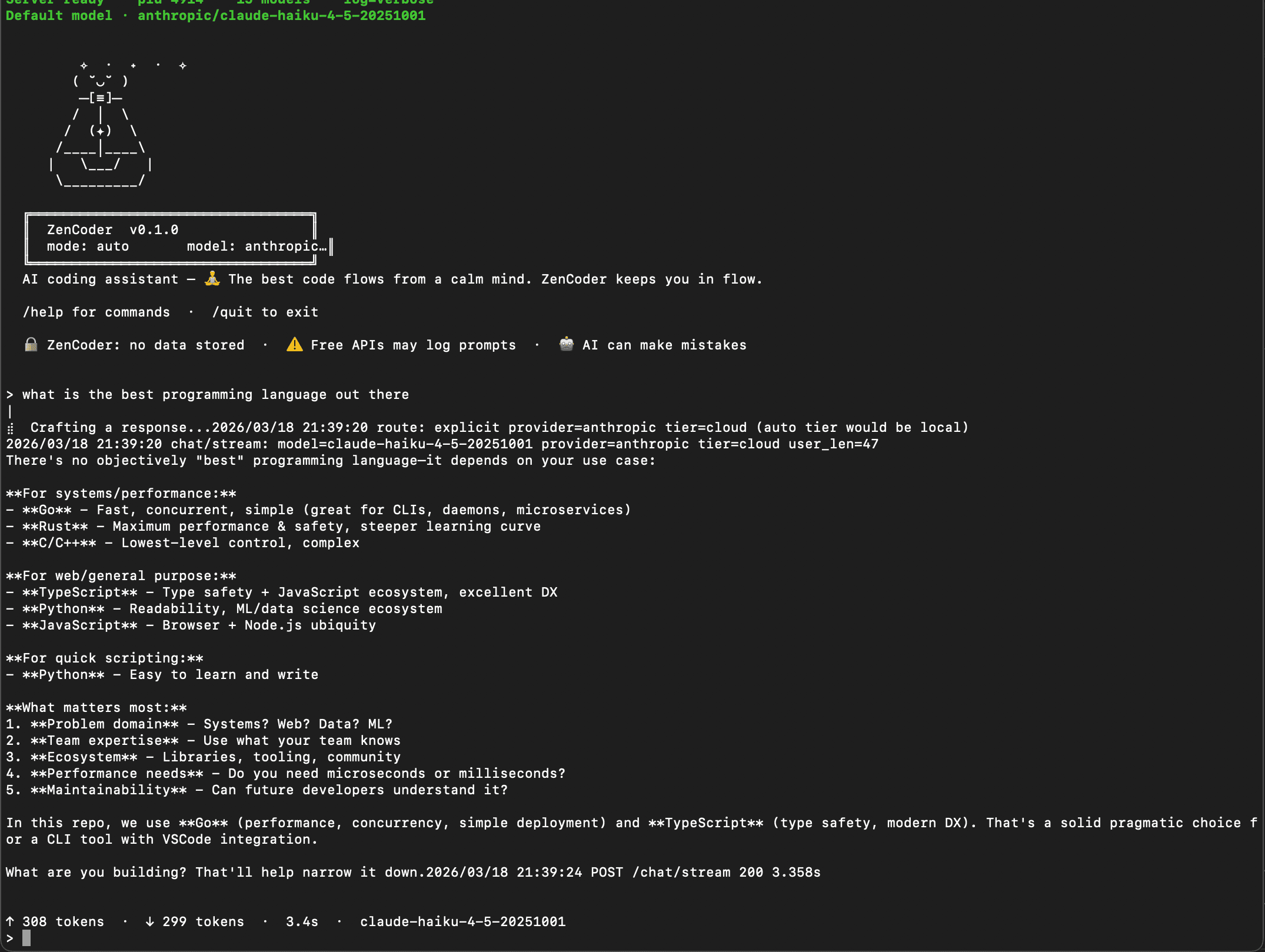
↑ Real session: mode: auto · model: anthropic/claude-haiku-4-5-20251001. Response streams token-by-token. Token usage (↑ sent · ↓ received) and latency shown at the bottom of each reply.
REPL slash commands
Slash commands work in both chat and agent modes. They are only interpreted when typed at the start of an empty line — mid-message content is never treated as a command.
/model — switch the AI model without leaving the session./mode agent — unlock file editing; ZenCoder can now read and write files in your workspace./model— interactive model picker
Opens a scrollable TUI list of every model available to the daemon. Navigate with arrow keys or j / k, press Enter to switch. The current model is marked (current).
> /model
# Opens interactive picker:
#   1  ollama/qwen2.5-coder:7b      (current)
#   2  ollama/llama3.2:3b
#   3  anthropic/claude-3-haiku-4-5  (cloud)
#   4  nvidia/meta/llama-3.1-405b    (cloud)
# ↑↓ or j/k to move · Enter to select · q to cancel

# Or switch directly:
> /model ollama/qwen2.5-coder:7b
Switched model to: ollama/qwen2.5-coder:7b
/mode agent— enable file editing
Switches the current session from stateless chat to full Agent mode. In agent mode ZenCoder has six workspace tools: file_read, file_glob, workspace_search, list_directory, file_edit, and file_remove.
# Start in chat mode, then switch to agent mid-session
> /mode agent
Switching to agent mode...

> Add input validation to all POST handlers in internal/server/
[Agent] Reading: internal/server/server.go
[Agent] Reading: internal/server/handlers.go
[Agent] Proposing edit to internal/server/handlers.go
[Agent] Apply? (y/n): y
[Agent] ✓ Edit applied

# Switch back to chat when done
> /mode chat| Command | What it does | Available in |
|---|---|---|
| /help | Show all available REPL commands | chatagent |
| /model | Open the interactive model picker — navigate with arrow keys, press Enter to switch | chatagent |
| /model <provider/name> | Switch directly to a specific model without the picker | chatagent |
| /models | Alias for /model — opens the interactive picker | chatagent |
| /mode agent | Switch to Agent mode — gives ZenCoder file read/write tools to edit files autonomously | chat |
| /mode chat | Switch back to Chat mode — stateless, no file access | agent |
| /skills | List all available AI skill categories (code-review, refactor, debug, explain, …) | chatagent |
| /clear | Clear conversation history for this session — starts fresh context | chatagent |
| /health | Check daemon connectivity and currently active model | chatagent |
| /version | Show CLI and daemon version | chatagent |
| /quit | Exit the REPL | chatagent |
Skills
ZenCoder auto-detects the right skill for each conversation. Use /skills in the REPL to list all available categories, or run zencoder skills from the terminal.
> /skills
# Available skills:
#   code-review       Analyse code for bugs, style, performance
#   test-generation   Generate unit/integration tests
#   refactor          Restructure code without changing behaviour
#   debug             Diagnose and fix runtime errors
#   explain           Plain-English explanation of code
#   documentation     Generate docstrings and README sections
#   security-audit    Identify security vulnerabilities
#   architecture      High-level design and system diagrams
# generate Generate new code from a spec--skill flag on the CLI:zencoder chat --skill refactor "Clean up this function"Next
VSCode Extension Guide